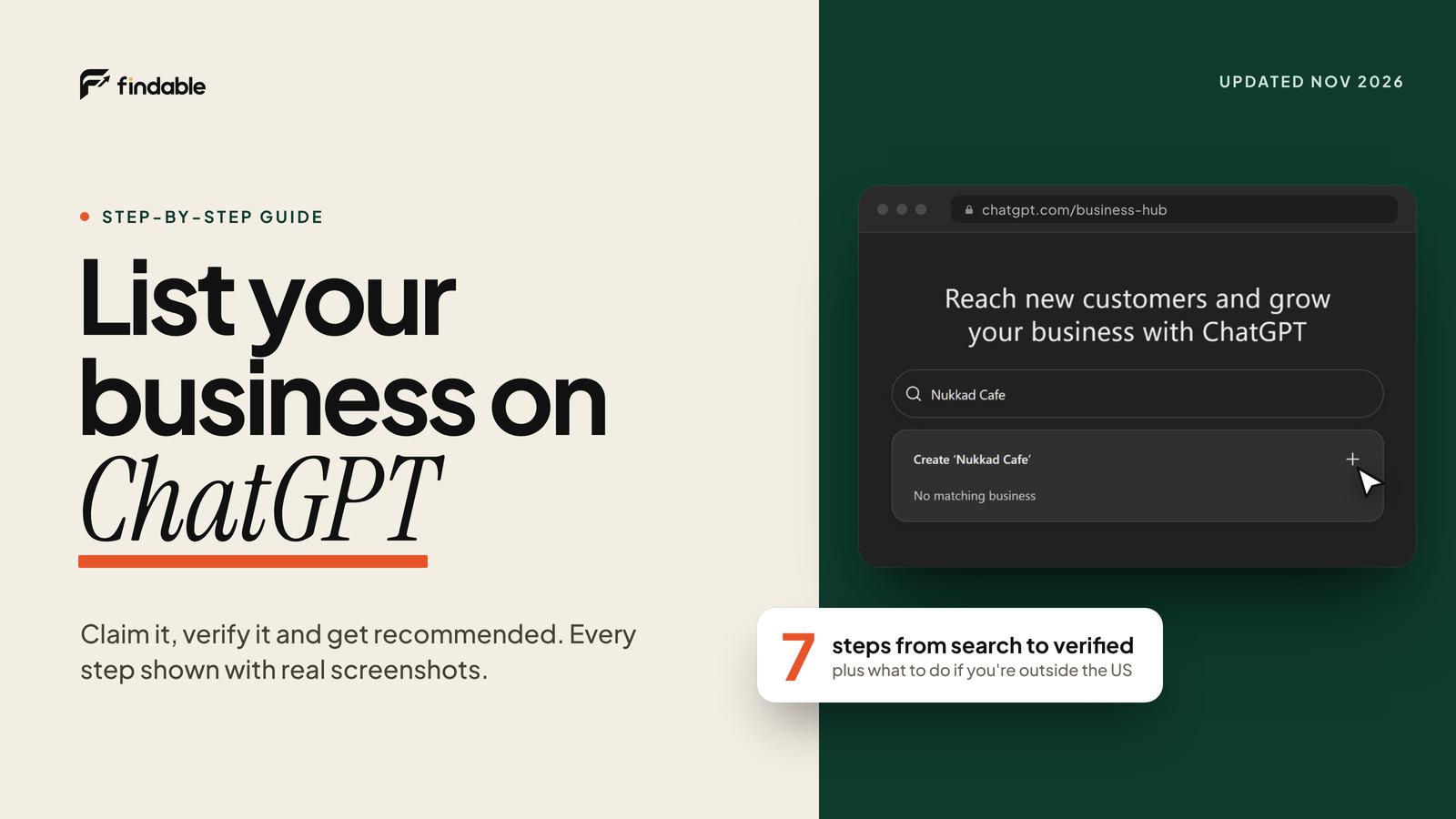
How we tested: we went through Business Hub ourselves on 27 November 2026, in a real ChatGPT account on desktop, from India. We searched for real listings, opened the claim flow, started creating a test business both ways (physical location and website, stopping before anything was submitted), and ran a local search in a temporary chat. Every screenshot below comes from that session. We checked each step against OpenAI's own help page.
We typed "best dental clinic in Pitampura Delhi" into ChatGPT. It answered with five clinics, each with a star rating, a review count, an address, a phone number and a map. It said it shortlisted them "based on Google ratings, number of reviews, patient feedback and range of treatments."
That is a customer choosing a business without ever opening Google. Since 10 November 2026, businesses can finally claim the profile ChatGPT shows for them. It's called Business Hub, and this guide walks through it from the first search to the blue check.
Short answer
- Go to chatgpt.com/business-hub while signed in to ChatGPT. It's free, and you don't need a paid plan or an ads account.
- Search for your business. If it's listed, select it and claim it. If not, choose "Create" and say whether customers visit you in person or buy through your website.
- Prove you're connected to the business with a code to the business phone or email, a DNS record on your website, or your Shopify store.
- Verify your identity with Persona (a government ID, sometimes a selfie). Only then can you edit the profile, see insights and get the blue check.
- Fill in your profile, then work on what ChatGPT actually reads: your website, your Google Business Profile and your reviews.
Outside the US with a shop or restaurant? Right now you'll most likely hit a waitlist. Here's what we saw and what to do meanwhile.
What is ChatGPT Business Hub?
Business Hub is OpenAI's tool for businesses to claim and manage their profile inside ChatGPT. OpenAI launched it in beta on 10 November 2026, as part of a program it calls Businesses in ChatGPT.
Think of it as Google Business Profile, but for ChatGPT answers. When your business comes up in a conversation, people can open its profile. Once you claim it, you can:
- Control your details: website, description, category, logo, cover photo and, if you sell online, delivery and return policies.
- See insights: how often ChatGPT mentions you, how many people click to your website, and the topics you come up for.
- Get a blue check: a verified badge, once your identity check is approved.
- Add products and an agent (online businesses only): a product feed with prices and stock, and a "business agent" that answers customer questions about your products and policies. The agent can't complete purchases, take bookings or check orders.
Your business can already appear in ChatGPT without you doing anything. ChatGPT builds answers from information it finds elsewhere. Claiming is how you get a say in what it shows.
Claiming is not a ranking boost. OpenAI says claiming "doesn't guarantee increased visibility" and that advertising doesn't influence ChatGPT's answers. It gives you accurate information and data, not a higher spot. What does affect recommendations is further down.
Before you start: what you need
Ten minutes of preparation avoids most failed claims. Have these ready:
| What | Why you need it |
|---|---|
| A ChatGPT account the business will keep | The account that claims becomes the admin. Use a company email, not a freelancer's or a staff member's personal account. A free account works. |
| Access to one verification channel | The phone or email shown on the listing, DNS access for your website, or your Shopify admin. |
| A government-issued ID | For the Persona identity check. You may also be asked for a selfie. |
| Your registration details | Legal business name, registered address and any registration or tax number, exactly as on your official documents. |
| Your website | New profiles that customers buy from online need one. Local businesses benefit from one too. |
| Profile content | A short description, your logo and a cover photo. |
Common mistake
Mismatched details are the most common reason identity checks fail. If your shop is called "Nukkad Cafe" but registered as "Nukkad Foods Pvt Ltd", put the registered name in the legal-name field and the shop name where it asks for the trading name. The address and tax number must match your records too.
How to list your business on ChatGPT, step by step
These are the seven steps from search to a verified profile. We did each one on desktop on 27 November 2026.
Step 1: Open Business Hub
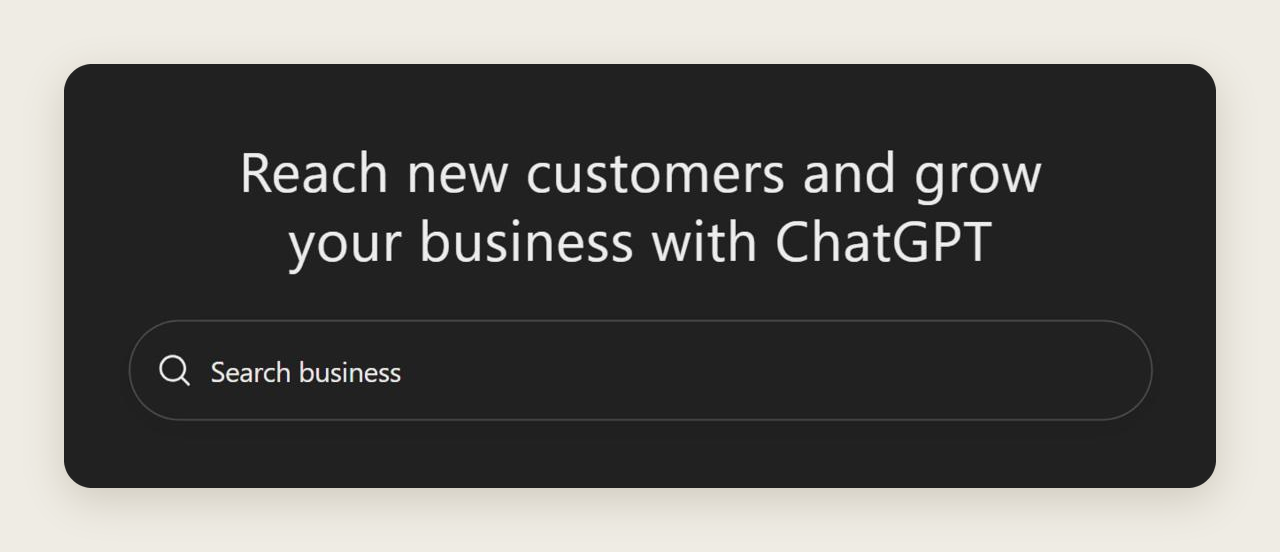
Sign in to ChatGPT and go to chatgpt.com/business-hub. There's no separate Business Hub login: you use your normal ChatGPT account. OpenAI says Business Hub also appears in the ChatGPT sidebar, but it wasn't in our sidebar, so the direct link is the reliable way in.
You'll see a page called Business, "Manage how your businesses show up in ChatGPT", with an Add button. Select Add.
Step 2: Search for your business
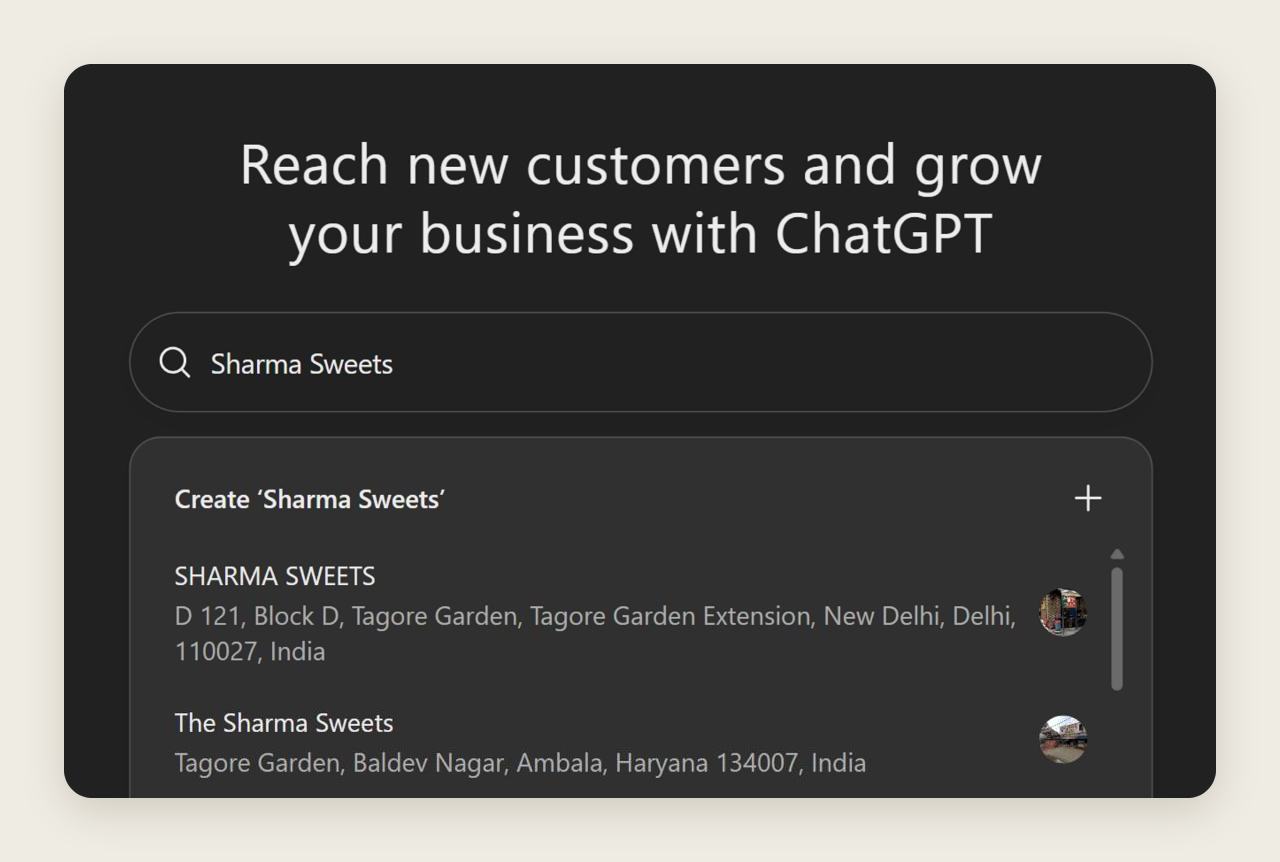
Type your business name the way customers know it. Business Hub searches existing listings and shows names with full addresses.
Our searches returned real local listings in India, including sweet shops in Delhi, Haryana and Rajasthan and cafes in New Delhi. So ChatGPT already has listings for many businesses outside the US, whether or not anyone has claimed them.
Tip
Check the address, not just the name. Common names return many lookalikes. Pick the listing whose address and area match yours exactly, especially if you have branches.
Step 3: Claim your listing, or create one
If you find your business, select it. A dialog opens that says "Claim [your business] in ChatGPT" and lists what you get: see how your business shows up, show customers what you offer, and let a business agent answer questions. It ends with "You'll need to verify that you're authorized to represent" the business. Select Get started.
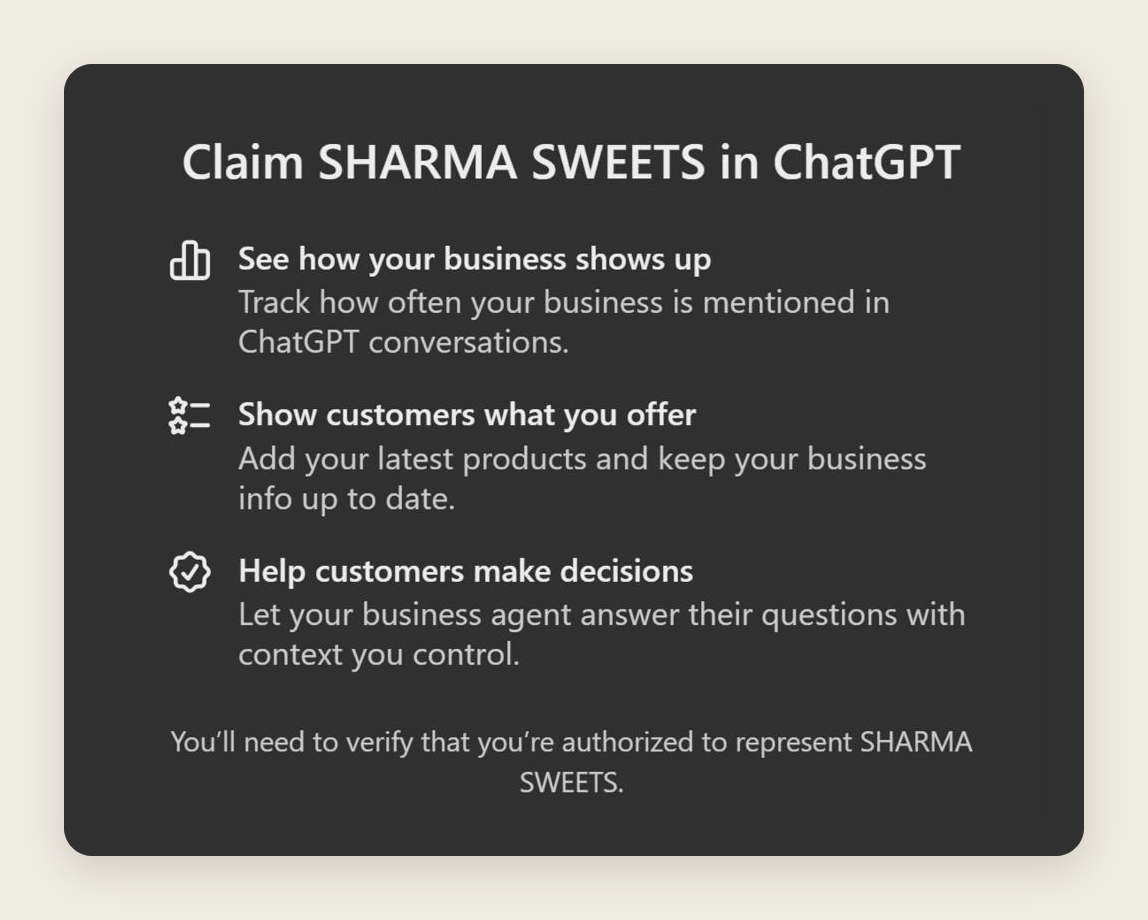
If you don't find it, select Create '[your business name]' at the top of the results. The create path is explained below.
Two other things you might see:
- Contact support: the listing is locked. Use the button to ask OpenAI for access. Brands with many locations often see this.
- Already claimed by someone else: open the profile, select the "•••" menu and choose Dispute ownership. You'll verify through Persona that you're authorized.
Step 4: Verify that you're connected to the business
ChatGPT now asks you to prove the business is yours. You'll see one or more of these methods, depending on the listing:
- Business phone: a code by text message or automated call to the number on the listing.
- Business email: a code to the email address associated with the business.
- Website domain: you add a TXT record to your domain's DNS, then select Verify domain.
- Shopify store: you select Connect Shopify and sign in to your store.
Which one to choose is explained below.
Step 5: Wait for OpenAI to approve the claim
OpenAI reviews every claim and emails you its decision or a request for more information. Review times vary, and you can cancel the claim while it's under review. There's no way to speed it up.
Step 6: Verify your identity with Persona
An approved claim gets you into Business Hub, but you still can't publish changes, see insights, add products or build an agent. For that, you need an identity check through Persona, OpenAI's verification partner.
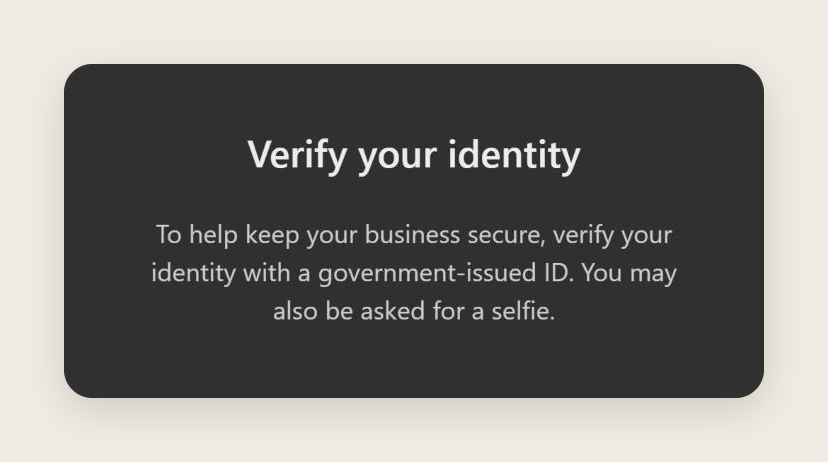
In your business overview, select Verify with Persona. The prompt says: "To help keep your business secure, verify your identity with a government-issued ID. You may also be asked for a selfie." Persona may also ask for business registration details and proof that you can represent the business.
Two details people miss:
- The blue check comes from Persona, not from the claim. Claiming alone gives no badge.
- If you're creating a new profile, Persona approval publishes it automatically. There's no separate publish button, so only submit when your details are ready.
- You can do it later. If you don't have your documents to hand, you can come back and start Persona from the business overview. Submitting doesn't mean you're approved: OpenAI emails the result.
Step 7: Fill in your profile
Once both approvals are in, open your profile and select Edit. You can update:
- Website (use your main domain, not a landing page or tracking link)
- Business description
- Product or service category
- Logo and cover photo
- Delivery and return policies, if you sell online
- Other optional details the profile offers
Selling online? This is also where you connect a product feed (or your Shopify catalog) so ChatGPT can show your products with prices and stock. Verify your website domain first, because products are tied to it.
OpenAI reviews changes before they go live, so they aren't instant. Everything must follow OpenAI's Businesses in ChatGPT policy: true, current details, no fake reviews, no hidden fees and no images you don't have the rights to.
Tip
Write your description the way a customer would ask. "Family dental clinic in Pitampura for root canals, implants and braces, open Sundays" helps ChatGPT match you to real questions. "Best clinic, world-class service" tells it nothing.
If your business isn't listed yet
If your business isn't in the results, select Create '[your business name]' at the top of the list.
ChatGPT then asks one question: "How do customers usually interact with [your business]?"
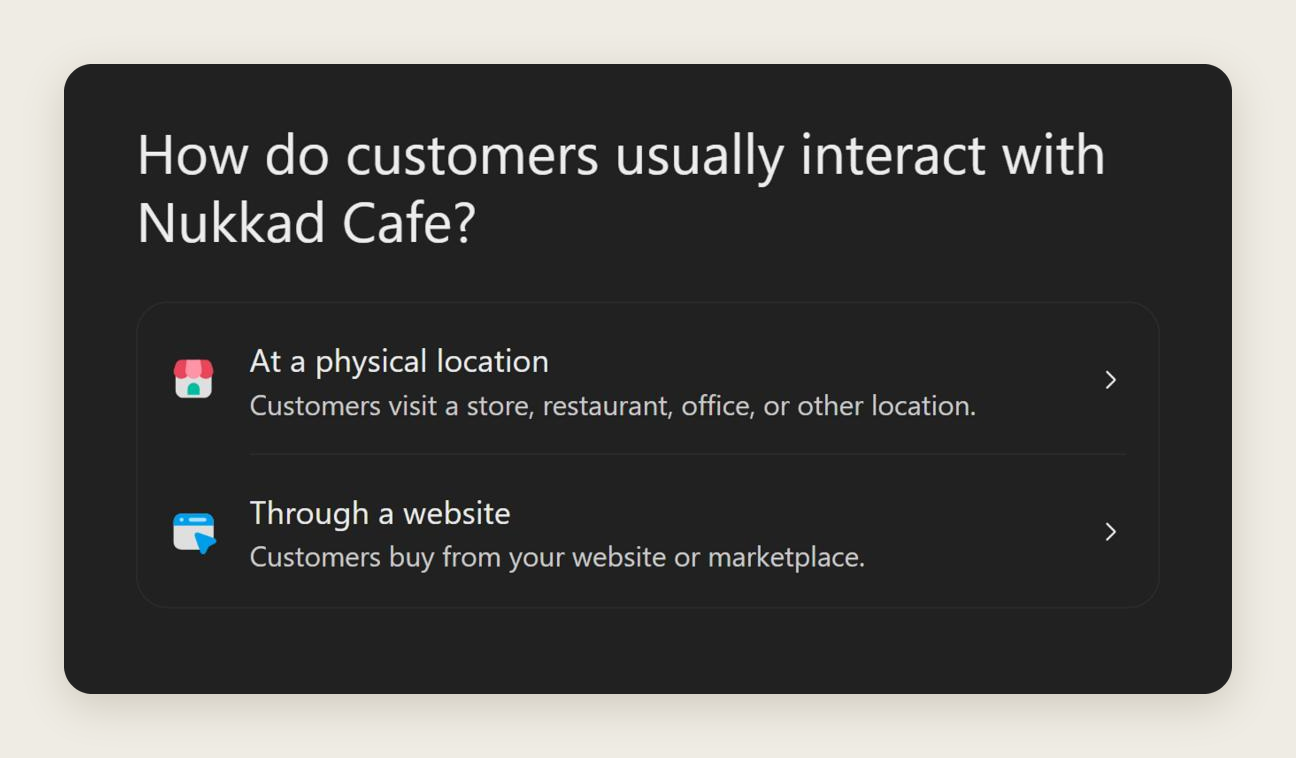
- At a physical location: customers visit a store, restaurant, office or other location.
- Through a website: customers buy from your website or a marketplace.
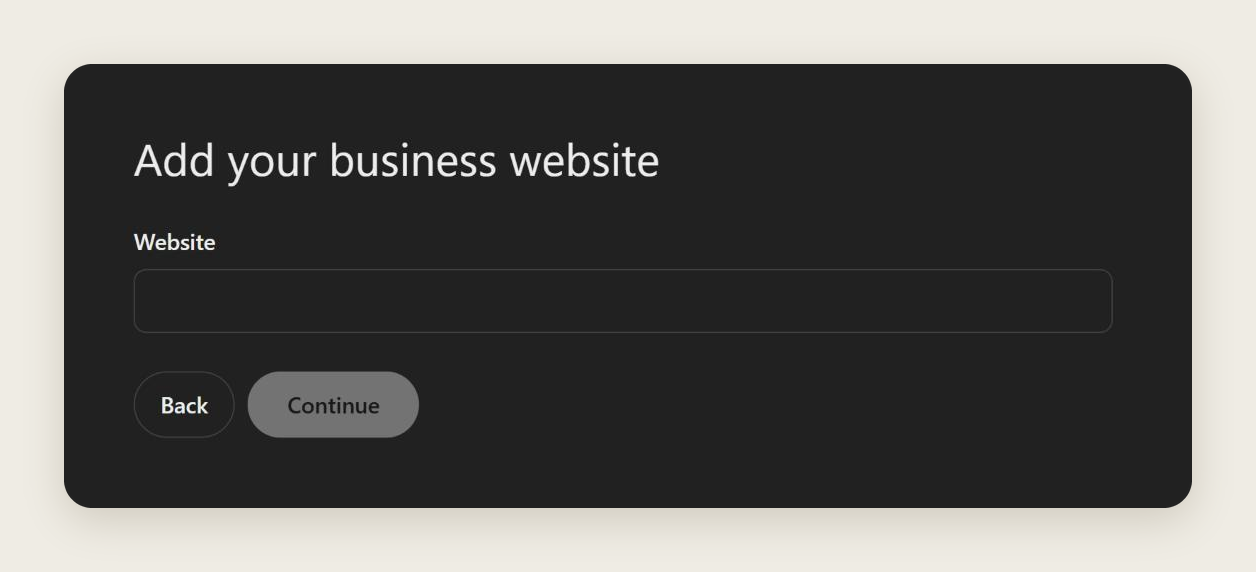
If you choose Through a website, it asks for your business website next, then continues to verification.
If you choose At a physical location, what happens depends on where you are. OpenAI's help page says that, for now, "Local stores and restaurants can currently claim only an existing U.S. listing." Which brings us to the question most guides skip.
Common mistake
Don't pick "Through a website" just to get past the waitlist if customers really visit you in person. Your profile has to describe your business truthfully, and a mismatch between your category, your website and your registration is a common reason verification gets rejected.
Outside the US? What happened when we tried
We tested Business Hub from India on 27 November 2026. Here's what we saw:
| What we did | What happened |
|---|---|
| Searched for Indian shops and cafes | Real Indian listings appeared, with full addresses |
| Opened an existing Indian listing | The "Claim … in ChatGPT" dialog opened with a Get started button. We stopped there, because we don't own that shop. |
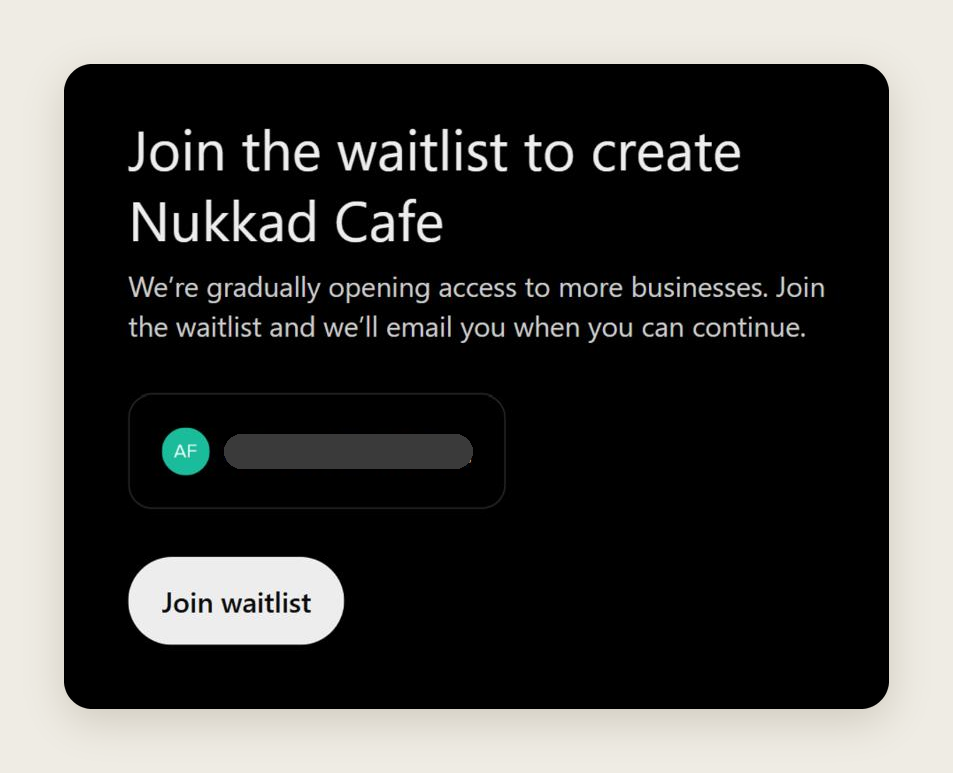
| Created a new business, "At a physical location" | A waitlist: "Join the waitlist to create [business]. We're gradually opening access to more businesses. Join the waitlist and we'll email you when you can continue." |
| Created a new business, "Through a website" | It asked for the website and continued to verification |
What this means for you:
- Shops, clinics, salons, restaurants and other local businesses outside the US: you can't create a profile yet. Join the waitlist with the account you'll use to manage the business, so you hear the day it opens. OpenAI says it plans to expand to more countries and business types over time.
- Online businesses (ecommerce, software, online services) outside the US: you can start now if your country supports the verification. Have your website, DNS access and registration documents ready.
- Business agents (the chat assistant for your products) are currently for eligible US ecommerce and online service businesses only.
Other agencies report the same: Real Local Partners were waitlisted when claiming their own listing two days after launch.
The good news: a waitlist doesn't stop ChatGPT from recommending you. Our Delhi test shows ChatGPT already recommends local businesses in India from their existing listings. What it looks at is in your control today.
Which verification method to choose
| Method | How it works | Best for | Watch out for |
|---|---|---|---|
| Website domain | Add the TXT record ChatGPT shows to your DNS, then select Verify domain | Anyone with a website and DNS access | DNS can take a while to update. Copy the type, host and value exactly. |
| Business phone | Get a code by SMS or automated call | Local businesses whose listed number rings at the counter or on the owner's phone | The code goes to the number on the listing, not to you. Tracking numbers and old lines fail. |
| Business email | Get a code by email | Businesses with a monitored inbox on their own domain | Shared or agency inboxes |
| Shopify store | Select Connect Shopify and sign in | Shopify merchants. It also brings your product catalog. | You need admin access to the store. |
Our pick: website domain, if you can edit DNS. It doesn't depend on who answers the phone or reads the inbox. If someone else manages your domain, send them the record from ChatGPT. Your domain registrar's DNS settings page is where it goes (for example Hostinger, GoDaddy or Cloudflare).
Business Hub insights, explained
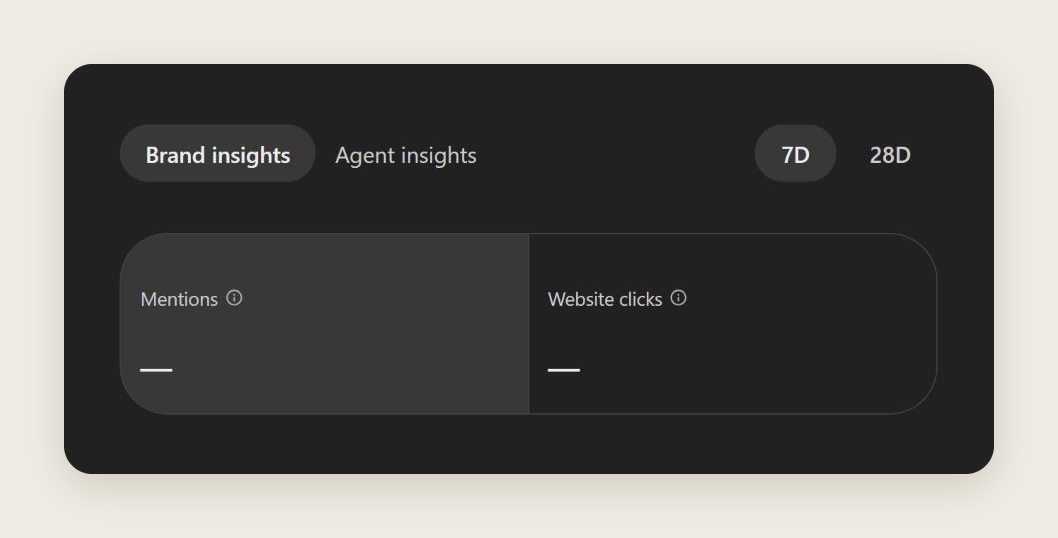
After your claim and Persona check are approved, open your business and select Insights. You can switch between 7 days and 28 days, and between brand insights and agent insights.
| Metric | What it counts |
|---|---|
| Mentions | For a local business, ChatGPT showing a result for your location, even if nobody opens it. For an online business, ChatGPT referencing your website (your name alone doesn't count). |
| Website clicks | People clicking through from ChatGPT to your website |
| Top 5 discovery topics | The themes of ChatGPT answers that mentioned or cited you. These are grouped topics, not individual questions. |
You'll never see individual prompts or customer chats. And a blank metric doesn't mean zero. It can mean activity is below the reporting threshold or data is still being collected. Small businesses should expect blanks at first.
Tip
Discovery topics are the most useful number. If ChatGPT keeps mentioning you for something you don't sell, or never for the service that makes you money, that tells you which details to fix on your profile and your website.
Verification failed, waitlist and other problems
| Problem | What to do |
|---|---|
| "Join the waitlist" | Local businesses outside the US can't create a profile yet. Join with the account you'll manage it from. Meanwhile, do these five things. |
| Identity verification rejected or expired | Follow the instructions in the email. If Verify again is available, resubmit with your legal name, address and registration or tax number exactly as on your documents. Use a clear photo of a valid ID. |
| Phone or email code never arrives | Check which other methods the listing offers. Website domain verification avoids the listed phone and email entirely. |
| Domain verification fails | Compare the TXT record in DNS with the one in ChatGPT, character by character. Wait for DNS to update, then select Verify domain again. |
| "Contact support" on your listing | The listing is locked. Use the button to request access. |
| Someone else claimed your business | Use Dispute ownership in the "•••" menu. Check first whether a former agency or employee claimed it. |
| Can't find Business Hub in the sidebar | Go directly to chatgpt.com/business-hub. |
| Your changes aren't showing | OpenAI reviews changes, and ChatGPT may still use other sources. Make sure your website and other listings say the same thing. |
| Insights are blank | Usually below the reporting threshold. Contact OpenAI Support if it stays blank. |
| Can't create a business agent | Your claim and Persona check must both be approved, and your business must be an eligible online business (currently US). |
When you contact OpenAI Support, include the step you were on, the error message and a screenshot with sensitive details removed.
How to get your business recommended by ChatGPT
OpenAI hasn't published how ChatGPT ranks local businesses. Here's what is known, and what we saw ourselves.
What OpenAI says: claiming lets you manage your information but doesn't control ChatGPT's "independent recommendations", and ads don't influence answers. ChatGPT "may also use other sources" when it answers questions about your business.
What we saw: in our Delhi test, ChatGPT said it shortlisted clinics "based on Google ratings, number of reviews, patient feedback and range of treatments". Every clinic showed its star rating and Google review count, and the answer included a map with each clinic's rating. Under the list it noted that the ratings and review counts came from Google business listings and can change. Its final suggestion was to compare the two clinics that had both excellent ratings and substantial review counts.
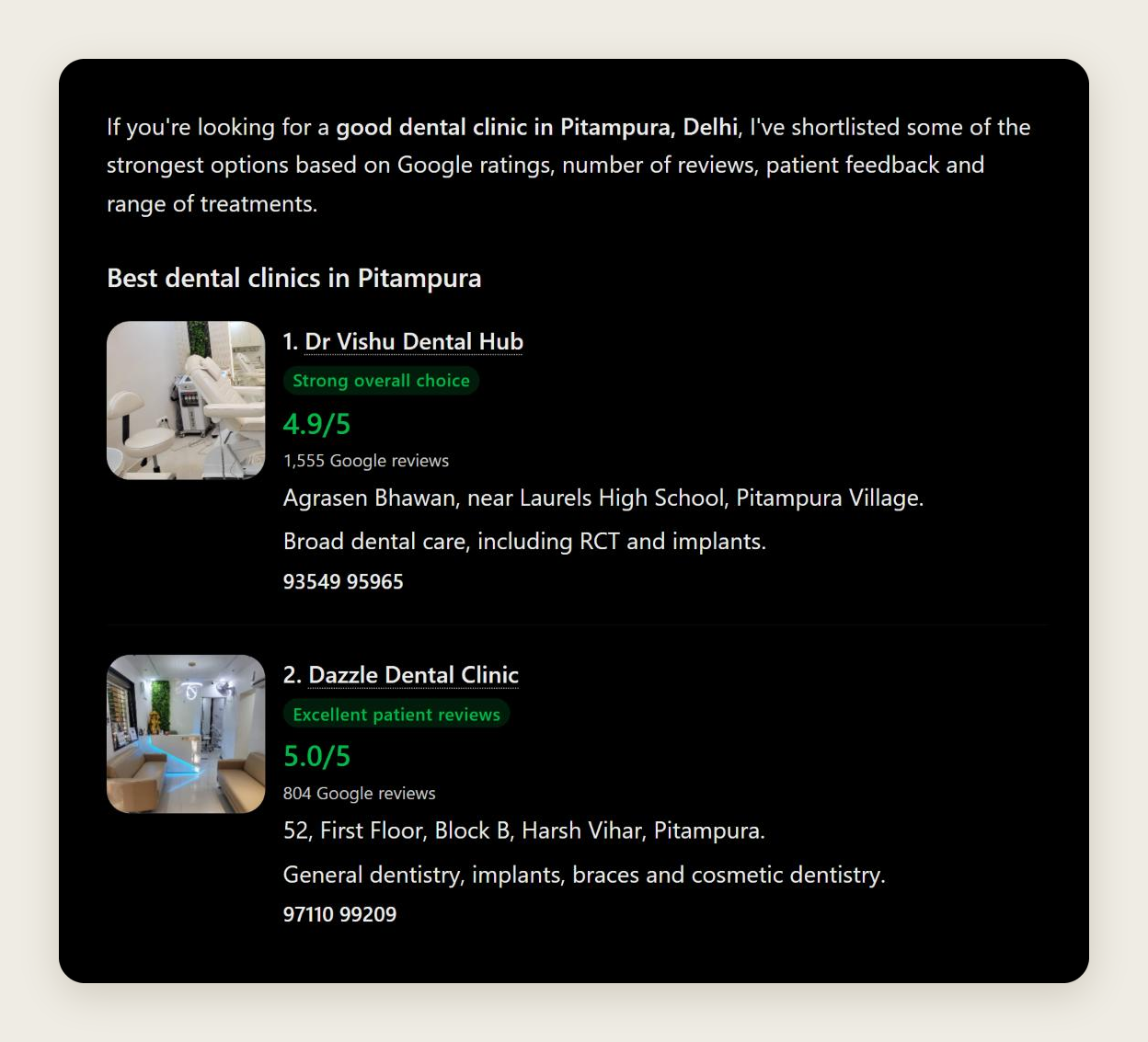
What's been reported: in July 2026, Yelp said it is licensing its reviews, ratings, photos and business information to OpenAI (Axios). In India, where few businesses are on Yelp, ChatGPT showed a rating for every clinic and said the numbers came from Google business listings. OpenAI hasn't published a full list of its sources.
So, the practical answer: ChatGPT recommends businesses that it can describe confidently and that customers rate well. That comes down to three things you control:
- Consistent facts everywhere. The same name, address, phone number, hours and categories on your website, Google Business Profile and other listings such as Bing Places, Apple Business Connect and Justdial. When sources agree, AI assistants repeat you with confidence. When they disagree, they hedge or skip you.
- A clear website. A page that says plainly what you do, where, for whom and when you're open, in words a customer would use.
- Plenty of recent, detailed reviews. Rating and review volume were the first things ChatGPT mentioned in our test. Detailed reviews also give it the specifics it needs to match you to a question like "a dentist for kids who is gentle".
This is the same work that wins on Google Maps. In our test, ChatGPT pointed to review volume, not just the star rating. If you want to see how many new reviews it takes to move your rating, try the free Google rating calculator.
What to do today, even if you can't claim yet
- Join the waitlist or start your claim at chatgpt.com/business-hub, using the account the business will keep.
- Fix your Google Business Profile. Check the name, address, phone, hours, category and website, and make them identical everywhere.
- Make your website say what you do in plain words: your services, area, hours and prices if you can. Put it in text, not only in images.
- Ask every happy customer for a review. A free Google review QR code at the counter makes it a 10-second job. Our guide on how to increase Google reviews has scripts that work.
- Ask ChatGPT about your own category and area ("best [your service] in [your area]") once a month, and note who it recommends and why. That's your benchmark.
FAQ
How do I get my business recommended by ChatGPT?
OpenAI doesn't sell placement, and claiming doesn't guarantee recommendations. What you can control is what ChatGPT finds about you: the same details on your website and every listing, a website that says plainly what you do and where, and plenty of recent, detailed reviews. In our test, ratings and review counts were the first reasons ChatGPT gave for its picks. More on this above.
Is listing a business on ChatGPT free?
Yes. OpenAI doesn't charge to claim or create a profile, and you don't need a paid ChatGPT plan, an ads account or an Enterprise agreement. ChatGPT ads are a separate, paid product and don't affect ChatGPT's answers.
How long does it take to get verified?
The steps take minutes. Approval doesn't: OpenAI reviews both the claim and the Persona identity check and emails you each decision. Review times vary, and domain verification can also wait on DNS.
Can I list my business on ChatGPT from India, the UK or Canada?
It depends on your business type. In our test from India, local businesses with a physical location were sent to a waitlist, while online businesses could continue with a website. OpenAI says local stores and restaurants can currently claim only existing US listings and that it plans to expand. Your business can still appear in ChatGPT answers before you claim it.
Why is my business not showing up on ChatGPT?
ChatGPT builds answers from information it finds about you, so a business with an incomplete Google profile, an unclear website or few reviews is easy to miss. Fix those first. Also try searching for it in Business Hub: if it isn't listed, ChatGPT may not have a listing for it yet.
Do I need a website to list my business on ChatGPT?
To create a new online-business profile, yes: Business Hub asks for it. For claiming an existing local listing, OpenAI's help page doesn't list a website as a requirement, but some early guides say claiming is limited to businesses with one for now. A website also makes domain verification possible and gives ChatGPT clear information about you.
What does the blue check on a ChatGPT business profile mean?
That the person who claimed it passed Persona identity verification and OpenAI approved it. Claiming alone doesn't add the badge.
Will claiming my business make ChatGPT recommend it more?
Not by itself. OpenAI says claiming doesn't guarantee more visibility. It makes your information accurate and gives you insights. Recommendations depend on what ChatGPT finds about you, and in our test that started with ratings and review volume.
Can my marketing agency claim my business for me?
They can help, but it's safer to claim it yourself with a company account and then add the agency from Business Hub. Each person uses their own ChatGPT account. If you part ways, you remove them and keep the profile.
Can I manage several locations or brands?
Yes, from one account, but each brand has its own profile and claiming the main brand doesn't claim its locations. For brands with a managed claim process, location profiles stay locked by default.
How do I log in to ChatGPT Business Hub?
With your normal ChatGPT account. Sign in at chatgpt.com, then go to chatgpt.com/business-hub. Use the account the business will keep, because it becomes the admin.
Is Business Hub the same as ChatGPT Business?
No. ChatGPT Business is OpenAI's paid workspace plan for teams using ChatGPT at work. Business Hub (part of "Businesses in ChatGPT") is the free tool for managing how your business appears to customers in ChatGPT answers. You don't need ChatGPT Business to use Business Hub.
Can I delete a ChatGPT business profile?
Only an unpublished draft. Open it, select the "•••" menu on Overview and choose Delete draft. OpenAI Support can't delete, unpublish or hide a published profile.
Get recommended for the right reasons
A profile tells ChatGPT who you are. Reviews tell it whether people should come to you. In our test, rating and review volume were the first reasons ChatGPT gave for its picks.
Findable helps local businesses get more of those reviews, and more detailed ones, from their real customers. A customer scans your counter QR, taps what they liked, and gets a review drafted from what they actually experienced, which they can edit before posting it on Google. Detailed reviews like these are what customers read, and what AI assistants can quote.
Share this guide
Sources
- OpenAI Help Center: Setting up your business on ChatGPT (read 27 Nov 2026)
- Digit: OpenAI introduces Businesses in ChatGPT (11 Nov 2026)
- Axios: Yelp partners with ChatGPT to surface reviews (July 2026)
- Real Local Partners: We tried to claim our ChatGPT business profile and got waitlisted (12 Nov 2026)
- Findable's own test in ChatGPT and Business Hub, 27 Nov 2026 (screenshots in this article)
Published , last updated .