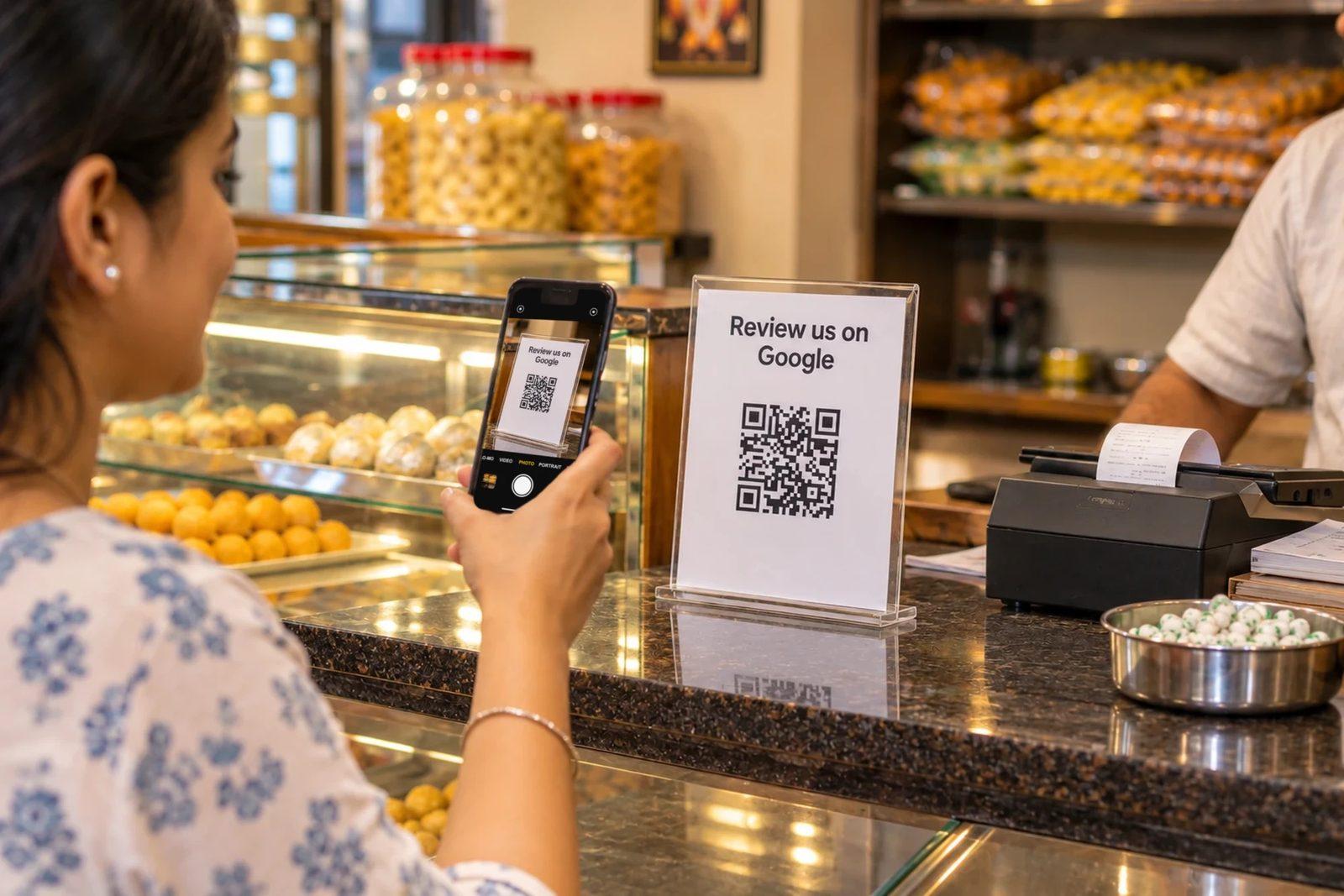
How to increase Google reviews comes down to three things. Everything else is a way of making those three easier.
Short answer
- Ask every customer. Not just the ones who look happy. Everyone.
- Keep the review one tap away. Give a direct link or QR. Don't say "search for us on Google".
- Ask at the right moment. While billing or as soon as the job is done. Not two days later.
Below, every method comes with a script you can say or send, in English and Hindi. At the end is the list of things Google's rules don't allow at all.
The 9 methods at a glance
- Get your direct Google review link
- Put a QR standee on the counter
- Ask at the right moment
- Give staff one fixed line, and ask every customer
- Send the link on WhatsApp the same day
- Print the QR on bills, packaging and visiting cards
- Make writing easy
- Reply to every review
- Keep asking every week
Why Google reviews matter: trust and ranking
Reviews do two jobs: they build trust, and they help your ranking.
Trust. A new customer opens two or three shops on Google Maps and looks at three things: the rating, how many reviews there are, and what the newest reviews say. If your last review is six months old, they can't tell what your shop is like now.
Google ranking. When someone searches "salon near me" or "best chai in Pitampura", Google decides which shop shows first on Maps. Google says on its local ranking help page that more reviews and a good rating can help local ranking.
So every new review works twice: in the customer's decision, and in your place on Google Maps. That means two jobs: increase the number of reviews, and keep new ones coming steadily.
The customer says "Sure, I will" but never posts. Why?
Most customers don't refuse. They just don't get round to it. There are four reasons:
- They forget.The moment they leave, their mind moves on.Fix: ask right then, with the QR in front of them.
- It takes too many steps.Open Google, search your name, pick the right listing, find the review button. Some people drop off at every step.Fix: a direct link or QR that opens straight to the stars.
- They don't know what to write.An empty box makes people think "I'll do it later". This is the biggest barrier, and it's why Findable exists.Fix: tell them two lines is enough (method 7).
- Hesitation.The customer thinks it's a lot of work, and staff feel awkward asking.Fix: one short, fixed line said to everyone (method 4).
How to increase Google reviews: 9 methods, with scripts
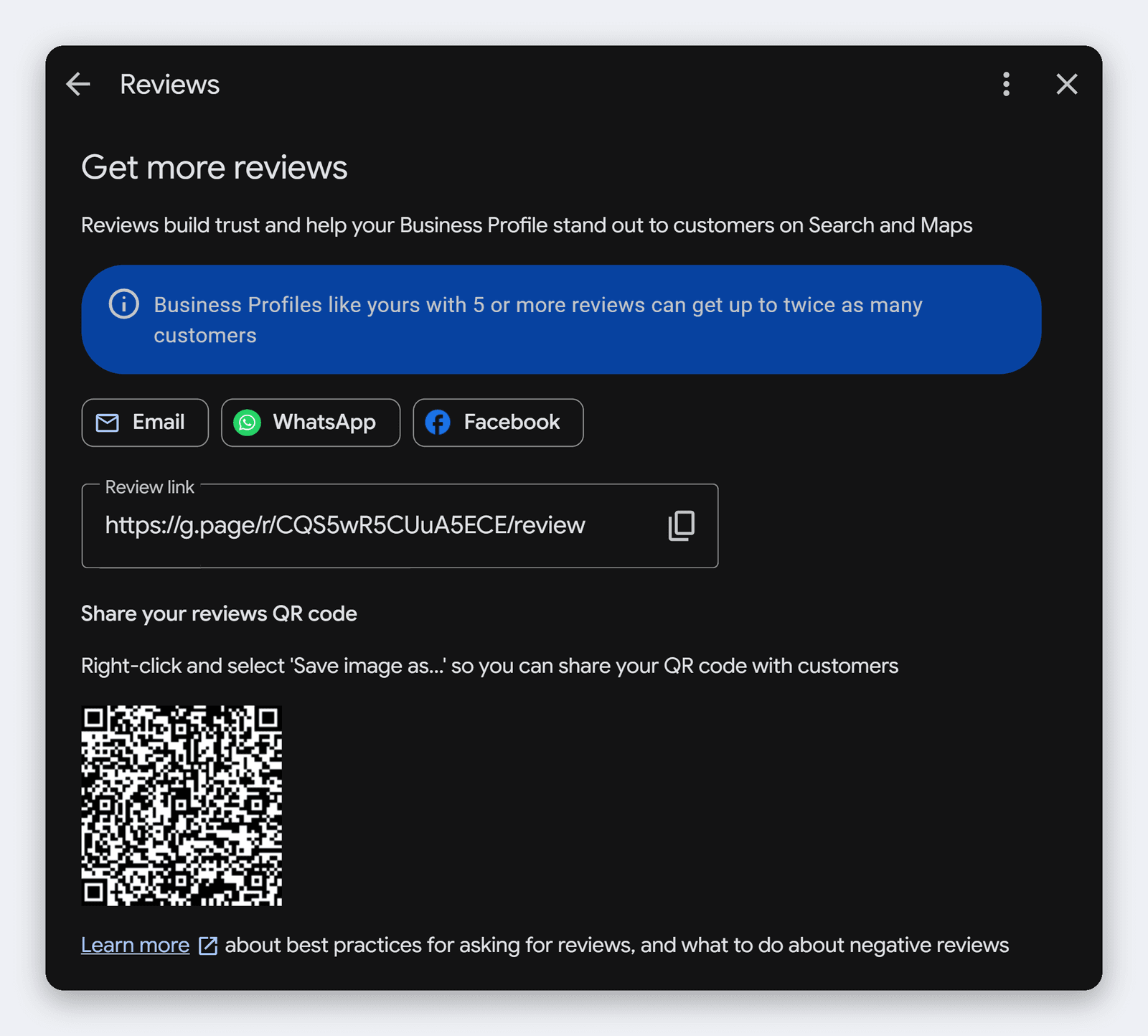
1. Get your direct Google review link
Start with your direct review link. Every other method runs on it.
Google's own way:
- Sign in with the Google account that manages your Business Profile, and open your profile by searching your shop's name on Google.
- Go to Read reviews, then choose Get more reviews. On some profiles the button says "Get reviews" or "Ask for reviews". Use whichever yours shows; the rest is the same.
- Select Copy to copy the link. You can also share it to WhatsApp from there.
- For the QR, right-click it and choose Save image as.
Note: according to Google's help page, the QR can only be made on a computer browser right now, not on mobile.
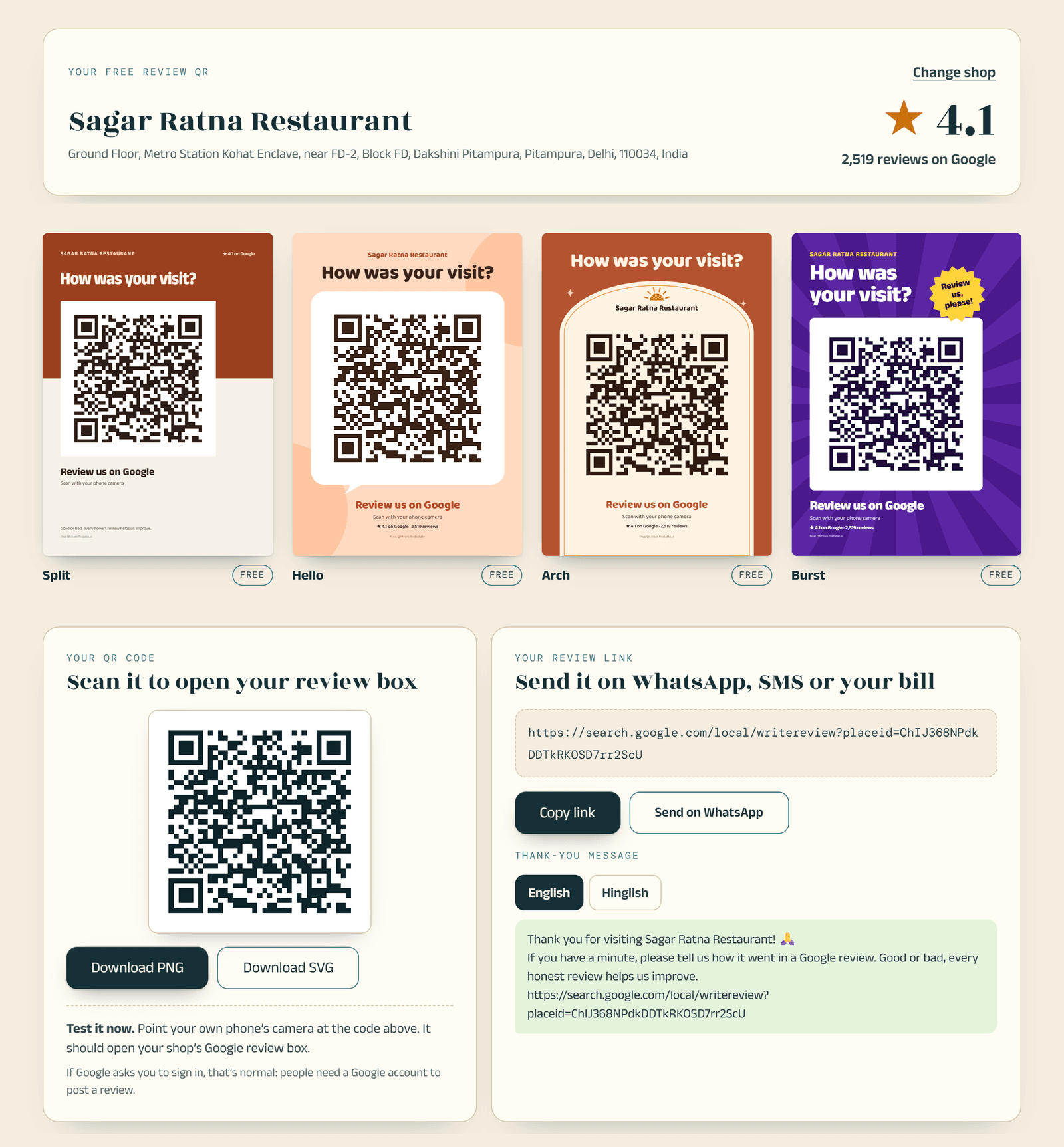
If you're on your phone, or you also want a printable standee with the link, use our free Google review QR tool. Find your shop, get the link and QR, and print a counter standee in English, Hindi or Hinglish. No sign-up.
Why it works
The fewer the taps, the more people finish.
Common mistake
Sending the normal Maps “Share” link. It opens your profile, not the review box. Open the link yourself before sending it and check that it goes straight to the stars.
2. Put a QR standee where customers stop
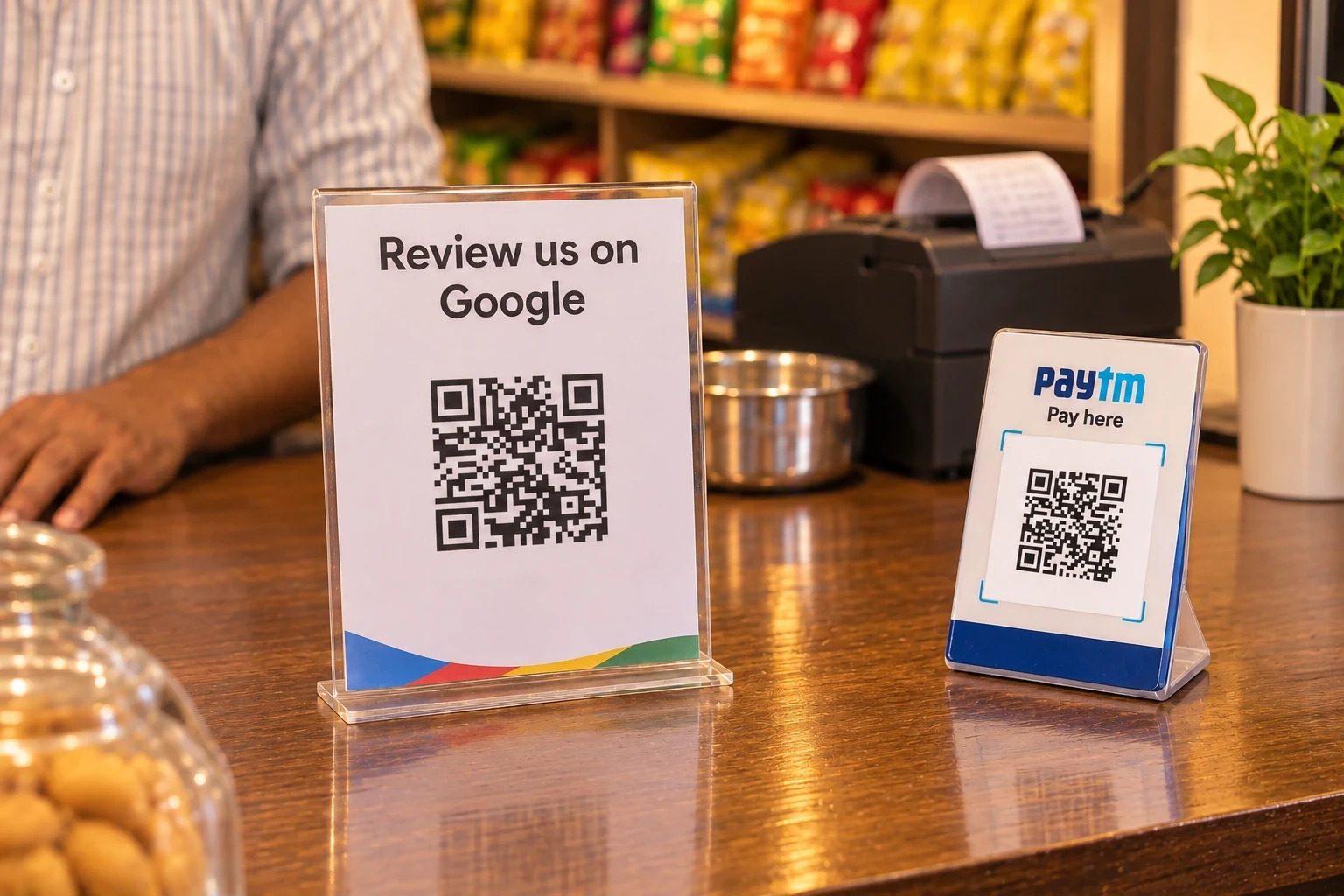
Put the QR where the customer stands still: the billing counter, next to the mirror in a salon, the clinic reception, the café table.
Check five things:
- Size: the QR should be at least 3 cm wide. Bigger if people scan from a distance.
- Glare: lamination or acrylic under direct light won't scan. Don't place it right under a light.
- Height: at hand height, standing up. Nobody notices a QR lying flat on the counter.
- Away from the payment QR: don't stick it right next to your UPI QR, or people will think it's for payment. Say clearly at the top that it's for Google reviews.
- Test it: scan it with two different phones, including an old Android.
Add one line next to the QR: "Scan to review us. It takes a minute."
You don't need to design it yourself. 15 free Google review standee designs are ready: an A5 standee (148×210 mm), a table tent (148×105 mm per side) and a 70 mm sticker.
Why it works
A QR in front of the customer is its own reminder. Staff don’t have to explain it every time.
Common mistake
Printing the QR too small to scan, and never testing it after putting it up.
3. Ask at the right moment
Ask just after the job is done, while the experience is fresh and the phone is in their hand.
Every business has its own moment:
| Business | Moment |
|---|---|
| Café or restaurant | While handing over the bill. Not while taking the order. |
| Salon | After the haircut, once the customer has seen the mirror and is paying. |
| Clinic | At reception, during payment or booking the next appointment. Not in the doctor’s room, and only “if you’re comfortable”. |
| Shop (grocery, mobile, clothes) | While packing, with the bill. |
| Home services (AC, plumber, electrician) | Once the customer has checked the work. Then WhatsApp the link. |
| Delivery | A little after the order arrives, on WhatsApp. |
Keep the same moment for everyone. Don't pick customers who "look happy" (method 4 explains why).
Why it works
People remember the best part and the last part of any experience. You’re asking at exactly that point.
Common mistake
Remembering two days later. Or holding up the queue at rush hour to ask.
4. What staff should say: one line, to every customer
One fixed line, to every customer, with the bill.
Sir/Ma'am, one small request. Please scan this QR and share your experience on Google, it takes a minute. Write it just the way you felt.
सर/मैम, एक छोटी सी रिक्वेस्ट है। यह QR स्कैन करके Google पर अपना अनुभव लिख दीजिए, एक मिनट लगेगा। जैसा लगा, वैसा ही लिखिए।If the customer says "I'll do it later":
Of course. Shall I send you the link on WhatsApp?
That's it. Don't ask again.
Why every customer? Google's rule is clear: businesses must not "selectively solicit positive reviews from customers" (Google Maps content policy). Picking only the happy customers to ask is against the rules.
It helps you too. Google says on its help page that a mix of positive and negative reviews often feels more trustworthy.
Two more things for staff:
- No targets. A quota like "get 10 reviews today" is banned under Google's rules. Build a habit, not a count.
- Don't ask customers to mention a staff member's name. That's banned too.
Why it works
“Scan now, it takes a minute” is a clear task. “Review us sometime” is just talk.
Common mistake
Saying “please give us 5 stars”. Or standing next to the customer until they post.
5. Send the link on WhatsApp the same day
Send one short WhatsApp message with the link on the same day.
Only send it to people who gave you their number themselves. One message. If there's no reply, don't chase.
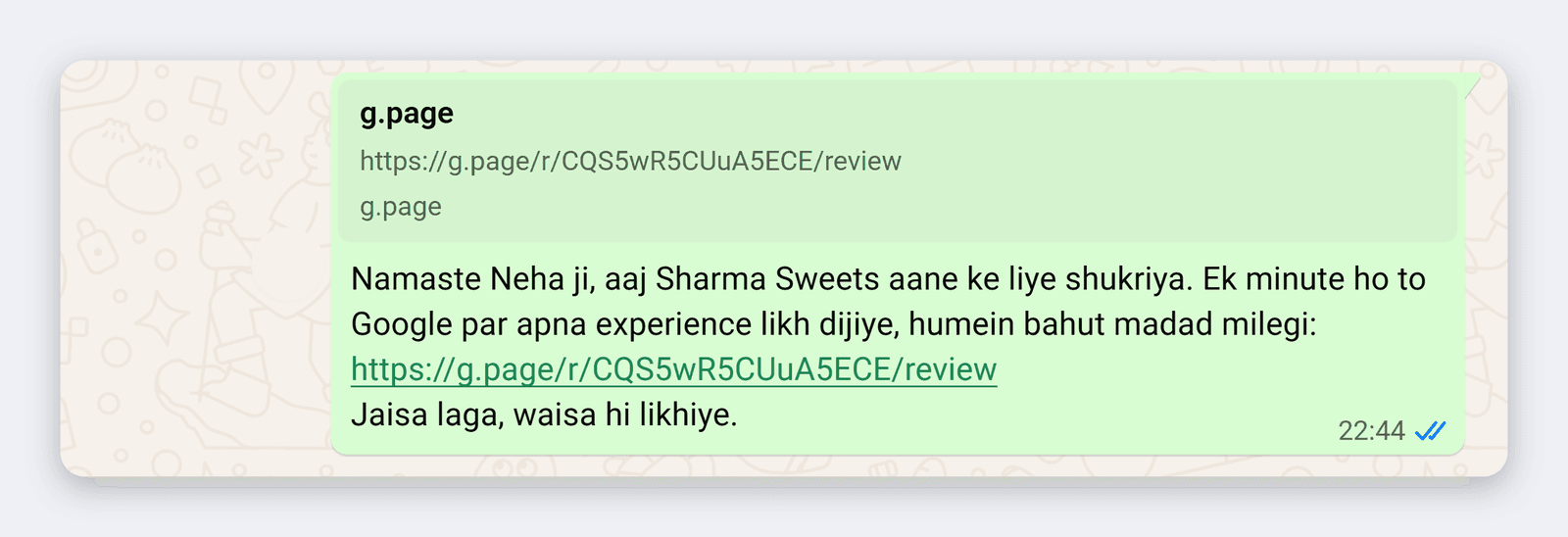
After a visit to a shop, café or salon
Hello [Name], thank you for visiting [Shop name] today. If you have a minute, please share your experience on Google, it really helps us: [link] Write it just the way you felt.
नमस्ते [नाम] जी, आज [दुकान का नाम] आने के लिए धन्यवाद। एक मिनट हो तो Google पर अपना अनुभव लिख दीजिए, हमें बहुत मदद मिलेगी: [link]
जैसा लगा, वैसा ही लिखिए।After a delivery
Hello [Name], your order should have reached you. Was everything fine? If anything's wrong, just tell us on this number. And if you have time, please write two lines on Google: [link]
नमस्ते [नाम] जी, आपका ऑर्डर पहुँच गया होगा। सब ठीक मिला? कोई दिक्कत हो तो इसी नंबर पर बता दीजिए। और समय मिले तो Google पर दो लाइन लिख दीजिए: [link]After a home service
Hello [Name], this is [Your name] from [Business name]. Did today's work go well? If anything is left, tell us and we'll sort it out. If you share your experience on Google, it'll help other customers too: [link]
नमस्ते [नाम] जी, [आपका नाम] यहाँ, [बिज़नेस का नाम] से। आज का काम ठीक रहा? कुछ बाकी हो तो बताइए, हम देख लेंगे। अपना अनुभव Google पर लिख देंगे तो दूसरे ग्राहकों को भी मदद मिलेगी: [link]The message goes to everyone, whatever their experience was.
Why it works
WhatsApp gets opened many times a day, and the link is one tap.
Common mistake
A broadcast to everyone with no name. Daily reminders. Or “please review us” with no link.
6. Print the QR on bills, packaging and visiting cards
Put the QR on whatever the customer takes home:
- The bottom of the bill
- A sticker on the parcel or box (the 70 mm sticker design is here)
- The carry bag
- The back of your visiting card
- The prescription folder or medicine envelope in a clinic
- The last page of the menu
Always add one line next to it: "How was it? Scan and tell us on Google."
Thermal bills often print the QR faintly. Scan one after printing, and don't go below 3 cm.
Why it works
Anyone who couldn’t do it at the counter gets a second chance at home.
Common mistake
Printing the QR with no line next to it. People can’t tell what it’s for.
7. Make writing easy, but don't tell them what to write
Tell customers that two lines are enough.
Many people want to leave a review but get stuck at the empty box. They think they'll have to write a lot. You can say:
Just two lines: what you had or got done, and how it was. Good or bad, whatever it was.
बस दो लाइन: क्या लिया या करवाया, और कैसा लगा। अच्छा-बुरा जो भी हो।There's a line you mustn't cross here. Google's rules don't allow businesses to ask for specific content in a review, or to try to influence the rating or what the review says. So:
- Don't hand customers a review you've written
- Don't ask for particular words ("write 'best salon in Rohini'")
- Don't ask for a staff member's name
- Don't mention a number of stars
The line above is only there to make starting easier. If the customer wants to write it their own way, that's best.
Why it works
A blank page stops everyone. Hearing “two lines” makes the job feel small.
Common mistake
Forwarding everyone the same pre-written review and saying “just paste this”.
8. Read and reply to every review, good or bad
Keep replies short, in your name, and about that specific review.
Don't paste the same "Thank you" everywhere, and don't mention offers or discounts in replies. A reply isn't only for that customer. The next customer reads it too.
Say it's a tea stall:
Thank you, Neha. Glad you liked the ginger chai. Do try the bun maska next time. – Rakesh
Suresh, sorry you had to wait so long on Sunday. We were a staff member short that day. We've now added a helper on weekends. Please call me on [phone number] and I'll look into it myself. – Rakesh
For a bad review, do three things: admit the mistake (if there was one), say what changed, and take the conversation to the phone. Don't argue, and never write anything private about the customer.
How much one bad review pulls your rating down, and how many new reviews bring it back, you can work out with the Google rating calculator.
Why it works
A reply shows people that someone here is listening. Then writing a review doesn’t feel pointless to them either.
Common mistake
Offering a discount or refund in exchange for removing a bad review. That’s against Google’s rules.
9. Keep asking every week
This isn't a one-off campaign. It's a daily habit.
Two or three reviews a day beat forty in one day. New reviews show at the top, so your profile looks current.
A sudden pile of reviews at once can look like an unusual pattern to Google, and those reviews may be removed. Getting relatives and friends to post on the same day falls into this.
Why it works
Reviews bring reviews. When people see others writing, writing one feels normal.
Common mistake
One enthusiastic week, then nothing. Or moving the standee while cleaning and forgetting to put it back.
What NOT to do (Google's rules, in plain words)
All of this is banned under Google Maps' content policy:
- Giving anything in return for a review. Discounts, free items, cashback, gifts, lucky draws. Banned for posting, changing or removing a review.
- Saying "give us 5 stars", or asking for any rating.
- Asking only happy customers. Asking "how was it?" first and then giving the link only to happy people counts too.
- Stopping or discouraging customers from posting a bad review.
- Getting yourself, staff, family or ex-employees to post reviews.
- Buying reviews. Stay away from agencies selling "50 reviews for ₹X".
- Swapping reviews with another shop owner: "you review me, I review you".
- Posting a bad review on a competitor's profile.
- Having customers post from the shop's tablet or your phone. Customers should post from their own phone, when they choose. Pressuring them in the shop is banned.
- Giving staff review targets.
- Asking customers to name a staff member or use particular words.
- Getting one person to post from several accounts.
What happens if you're caught?
According to Google's Business Profile restrictions page:
- 01The reviews are removed
- 02The profile may not be able to receive new reviews for a while
- 03Existing reviews may be hidden for a while
- 04The profile may show a warning that fake reviews were removed
Every new customer sees that warning. It's not worth the risk for a few reviews.
India also launched a framework against fake and deceptive online reviews in 2022: IS 19000:2022 (PIB release).
A simple weekly routine
Tick as you go. You can screenshot this list and share it in your staff group.
| When | What |
|---|---|
| The same one line, to every customer, with the bill. | |
| WhatsApp the link the same day to delivery and home-service customers. | |
| Is the standee in place and clean? Scan it once. | |
| Read new reviews and reply. | |
| Two minutes with staff. Where are they getting stuck? A habit, not a target. | |
| Note your rating and review count. Check stock of bills and stickers. |
Findable: when the QR is up but reviews are still slow
The nine methods above are free, and you should start with them. But there's one barrier a script and a standee don't fully remove: the empty review box.
The customer scans. Picks the stars. Then sees the writing box, pauses, and the phone goes back in their pocket. You never even find out a review was lost.
Findable makes this one step easier. For the customer it works like this:
- They scan the QR at the counter
- They tap what they liked
- They get a short draft built from what they picked
- They edit it, and post it on Google themselves
What changes for the shop
- Less work for the customer. They don't have to work out where to start.
- No extra load on staff. The same one line, the same counter QR. Nobody has to explain what to write.
- Every review is different. The draft is built from that customer's own choices, and they can change it.
- The review stays the customer's. They post it from their own Google account, when they choose. You don't write anything.
- It helps on Maps too. When more customers finish their review, your count grows, and Google says more reviews can help local ranking.
We don't promise ratings or rankings. Findable only makes sure that a customer who wanted to leave a review can actually finish it.
FAQ
How long until my reviews increase?
There's no fixed number. It depends on how many customers you get each day and how many of them you ask. The count only grows when you ask every customer and the QR is in front of them. Your rating changes slowly, because old reviews count too.
Can I increase Google reviews for free?
Yes. In the nine methods above, the only cost is printing. The link, the QR and the standee designs are free.
Can I pay for reviews?
No. A review given for money, a discount or a gift is fake engagement under Google’s rules. It can be removed, and your profile can be restricted.
What should I do about a bad review?
Don't panic, and don't reply in anger the same day. Write a short, calm reply: admit the mistake, say what changed, and offer to talk on the phone. Customers sometimes update their review afterwards.
Can I delete a bad review?
No. An owner can't delete anyone's review. Only the person who wrote it can remove it, or Google, if it breaks the rules. If a review is false or abusive, you can report it to Google. A review won't be removed just because it's negative.
A customer posted a review but I can't see it. Why?
Google checks every review against its rules, which can take a few days. Old phones or an outdated Maps app can also cause problems. A review removed for breaking the rules won't come back. Also, the customer has to be signed in to a Google account to post a review.
What's the difference between the free QR tool and Findable?
The free tool gives you a review link, a QR and a standee. The customer scans and Google's review box opens directly. For many shops, that's enough.
Findable makes the next step easier. Instead of an empty box, the customer taps what they liked and edits a draft built from that, then posts it themselves. It costs ₹1,999/month, with a free trial.
Run the free tool for two weeks first. If people scan but reviews don't come in, that's when Findable is worth trying.
Start today
There's no shortcut to increasing Google reviews. But it isn't hard either: get your link, put the QR on the counter, and from today say the same one line to every customer. Run it for a week or two and see which methods work at your shop.
Step one · free
Make your Google review link and QR.
No sign-up, and you get a standee ready to print.
Step two
If people scan but don't finish the review, start a Findable free trial. The customer taps what they liked, edits the draft and posts it themselves. ₹1,999/month after the trial.
Findable's free tools
- Google review link and QR code generatorFind your shop, get the link and QR instantly.Open →
- Google review standee designs15 free designs, ready to print.Browse →
- Google rating calculatorHow many new reviews move your rating.Calculate →
Findable is based in North-West Delhi and works online with shops, cafés, salons and clinics across India.
Send this guide to a shop-owner friend
Sources
- Google, Maps user-generated content policy: Prohibited & restricted content (Fake engagement, Rating manipulation). support.google.com/contributionpolicy/answer/7400114
- Google Business Profile Help: Create a Google link or QR code to request reviews. support.google.com/business/answer/16816815
- Google Business Profile Help: Tips to get more reviews. support.google.com/business/answer/3474122
- Google Business Profile Help: Business Profile restrictions for policy violations. support.google.com/business/answer/14114287
- Google Business Profile Help: Tips to improve your local ranking on Google. support.google.com/business/answer/7091
- Google Business Profile Help: About missing or delayed reviews. support.google.com/business/answer/10313341
- Press Information Bureau, Government of India (21 Nov 2022): framework IS 19000:2022 on online consumer reviews. pib.gov.in
All pages opened on 14 Nov 2026. Published , last updated .